

Repeat Any Part, As Many Times As You Need.
Focus on what you’re missing. Select any section and repeat it to master listening and pronunciation.

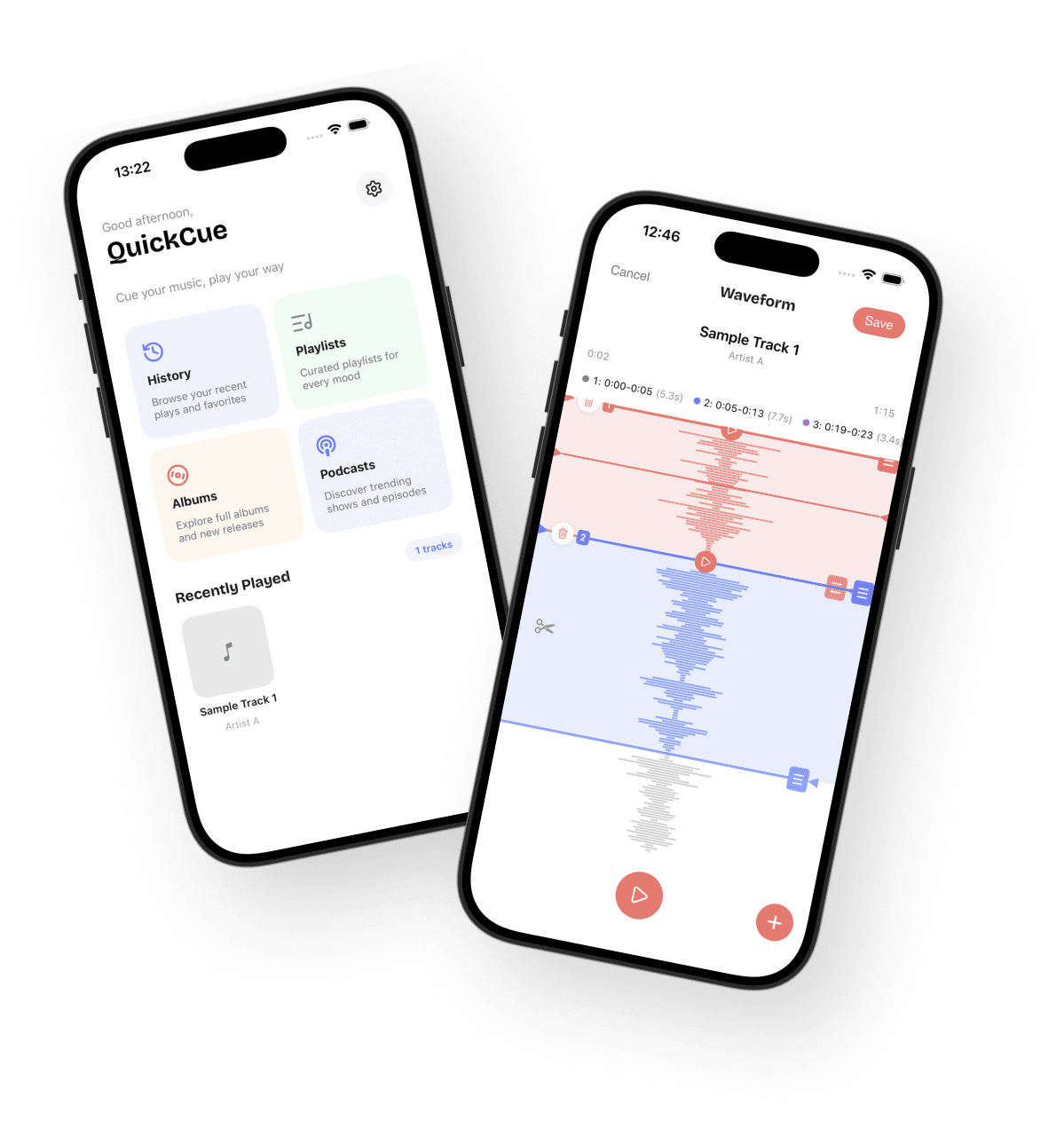
Targeted Listening Training
From passive listening to targeted repetition.
Select a Section by Waveform
Drag across the waveform to select exactly the phrase you want. Replay just that part instantly.
Auto-Repeat the Selected Range
Loop your selection continuously. Set a wait time between repeats to practice listening, then speaking.
Transcriptions in 5 Languages
See the audio content as text while you listen. Supports English, Spanish, Japanese, Portuguese, and Thai.
3 Steps to Get Started
Load Your Audio
Add your audio files to the Music app so QuickCue can play them.
Select a Range
Use the waveform to select the exact phrase you want to focus on.
Repeat and Practice
Loop the selected section. Check the transcript as you train.
Made for Learners Like You
Focus on the parts you struggle to hear.
Select only the phrases you miss and replay them to focus your effort.
Shadowing and pronunciation practice
Use the loop and wait-time settings to smoothly practice listen → speak.
Understand podcasts and audio lessons better
Pick out any section and review it with the transcript for faster understanding.
Repeat Your Weak Spots, Again and Again.
Build your listening skills faster.


© 2026 QuickCue. All rights reserved.